Normally I wouldn't have time to write another post. But what just happened?
Why is my Thinkpad suddenly just crashing again?
Explorer freezing for no reason when everything was just perfectly fine yesterday and I had not installed anything that might break the OS between yesterday and now.
WTF. Just WTF. I feel like punching my computer screen, but I know it would just do more harm.
What happened to the hours minutes that I was supposed to be productive?
What new crap has Windows 10 automatically downloaded for me?
I fear the day when Windows 7 will no longer be supported and we all have to accept this crappy broken auto updates Microsoft force feeding us if we want to keep the latest OS.
Soon Macrium Reflect will be finished restoring the disk back to Windows 7.
Thankfully I have a Thinkpad that supports two hard drives and I have all my work on the second drive. I still need to make the dormant Windows 7 OS catch up with all the updates. Thankfully there's WSUS offline to take care of that.
The bitter sweet fate of WxDevC++
Recently, I've been enjoying programming with the Lazarus IDE which reminded me of the good old days when GUI programs can be quickly made without relying on the Dot Net framework. Visual Basic is what I had back then and Borland Delphi was something I wish I had. These days, my past childhood software-acquisition dreams are now easily within reach, thanks to the magic of abandonware archiving sites.
I was interested to know what other free modern successors of past popular RAD programming environements are there
So back on track, I was fooling around with the source code of WxDevCpp, which is an extension of DevCpp. DevCpp and wxDevCpp are somewhat funny as though they are IDEs for the C++ programming language, they themselves were written in Delphi. In retrospect, this also shows how amazing Delphi is as a RAD IDE to be used for such an application.
With my bit of experience in Lazarus and usng Delphi 7 through the magic of abandonware, I was eventually able to get the wxDevCpp main IDE to load in Lazarus.
But before that, I have to go through some pain. Based on what I experienced, I think there are 3 stages on tinkering with someone else's code.
Finding my way through the slightly dated Delphi 7 environment was made a bit easier with some modernizing extensions such as the CnPack CnWizards extension that added line numbers to Delphi's text editor and GExperts that allowed me to investigate unit dependencies. Even without a few recent typical IDE features like line numbers and other editor enhancements, Delphi 7 is still quite sophistiacated, and given the maintained compatibility through Delphi's lineage, it is understandable why recent IDE extensions are still being made for the 15 year old Delphi 7 (I have acquaintances who are younger than that).
wxDevCpp was relying on the JEDI/JCL/JVCL extensions, SynEdit, MadExcept, other stuff that can be found on their sourceforge page and some custom components that the DevCpp developers made themselves.
What appears to be the major technical hurdle of porting wxDevCpp to Lazarus or any other language is its reliance on third party components, particularly the JVCL/Jedi stuff. The designer part of wxDevCpp uses a lot of these. wxDevCpp also had extra components that only had to do with aesthetics (themes) and made it tied up to a particular compiler (Delphi 6). It was easy to purge the XPMenu component though.
Compared to wxDevC++, it was refreshing to compile wxDevIDE as it didn't had the same dependency nightmare as its parent, and don't forget, wxDevC++ is much much easier to acquire than Delphi. I still had to modify the code a bit to successfully compile wxDevIDE in wxDevC++. It was something related to an xpm resource not being defined, then being redefined after the defining.
Sadly wxDevIDE is incomplete and relatively unknown. Despite the GUI being there, there's a lot of missing functionality. Especially the form designer, which is probably due to its past reliance on JEDI. Its no surprise I don't like Start Wars.
It has/had potential though, to be the next RAD for C++ that produces natively compiled executables. There are other C++ IDEs like Code Lite and Code Blocks, but I had difficulty getting the wxWidgets extensions to work on these. They also don't have the established RAD look and feel that wxDevC++ manage to emulate (in fact there are more options I'm ignoring because of this). It is just so nice that wxDevC++ works out of the box, with a single download, and looks like a typical RAD IDE.
Maybe the RAD C++ code can be used to fill in where wxDevIDE is missing? Interestingly, it looks like it is made with DevC++.
I was interested to know what other free modern successors of past popular RAD programming environements are there
- Delphi -> Lazarus
- Visual Basc -> nothing similar at the moment, but FBEdit or one of the things made by Paul Squires might be viable alternatives.
- C++ Builder -> I have no experience with this but wxDevC++ fits the description while RAD C++ seems to be not as developed or maintained. And no, there is nothing visual about Visual C++ in this context.
So back on track, I was fooling around with the source code of WxDevCpp, which is an extension of DevCpp. DevCpp and wxDevCpp are somewhat funny as though they are IDEs for the C++ programming language, they themselves were written in Delphi. In retrospect, this also shows how amazing Delphi is as a RAD IDE to be used for such an application.
With my bit of experience in Lazarus and usng Delphi 7 through the magic of abandonware, I was eventually able to get the wxDevCpp main IDE to load in Lazarus.
 |
| wx-Dev-C++ loaded in Lazarus |
But before that, I have to go through some pain. Based on what I experienced, I think there are 3 stages on tinkering with someone else's code.
- Getting the source code to load without errors.
- Getting to compile the source code without errors.
- Getting to run the compiled programg without errors.
 |
| wx-Dev-C++ loaded in Delphi 7 |
Finding my way through the slightly dated Delphi 7 environment was made a bit easier with some modernizing extensions such as the CnPack CnWizards extension that added line numbers to Delphi's text editor and GExperts that allowed me to investigate unit dependencies. Even without a few recent typical IDE features like line numbers and other editor enhancements, Delphi 7 is still quite sophistiacated, and given the maintained compatibility through Delphi's lineage, it is understandable why recent IDE extensions are still being made for the 15 year old Delphi 7 (I have acquaintances who are younger than that).
wxDevCpp was relying on the JEDI/JCL/JVCL extensions, SynEdit, MadExcept, other stuff that can be found on their sourceforge page and some custom components that the DevCpp developers made themselves.
Loading wxDevCpp in Lazarus
Custom components, i.e. those not available in a vanilla Delphi installation, will not be convertible to Lazarus. I had to repeatedly go through this process:- Purge custom components and comment out source code refering to these components.
- See that the code still compiles. Don't bother to see if it will run properly, it likely won't after all the missing body parts.
- Convert a copy of the code collection in Lazarus.
- Visually remove the component from the form designer
- Maintain the variable attached to the removed component by declaring it as a field in the form's class.
- Check it still compiles
What appears to be the major technical hurdle of porting wxDevCpp to Lazarus or any other language is its reliance on third party components, particularly the JVCL/Jedi stuff. The designer part of wxDevCpp uses a lot of these. wxDevCpp also had extra components that only had to do with aesthetics (themes) and made it tied up to a particular compiler (Delphi 6). It was easy to purge the XPMenu component though.
And then there was wxDevIDE (aka wxDevC++ 8.0)
As it turns out, and thankfully, I'm not the only one who thinks that it is weird to have an IDE for a fully featured capable such as C++ to be programmed in a differnt language. True, this is necessary to get things started, but eventually there should be a stage, i.e. the singularity, when the same language is used to program future versions of itself. And indeed that seems to have be the vision. Since the Delphi-made-wxDevCpp can now make GUI applications, a feat that is not as simple with plain C++, maybe the next wxDevCPP, which is also a GUI application should now be made with Delphi-made-wxDevCpp. |
| wxDevIDE that was made with wxDevC++ that was made with Delphi |
Compared to wxDevC++, it was refreshing to compile wxDevIDE as it didn't had the same dependency nightmare as its parent, and don't forget, wxDevC++ is much much easier to acquire than Delphi. I still had to modify the code a bit to successfully compile wxDevIDE in wxDevC++. It was something related to an xpm resource not being defined, then being redefined after the defining.
Sadly wxDevIDE is incomplete and relatively unknown. Despite the GUI being there, there's a lot of missing functionality. Especially the form designer, which is probably due to its past reliance on JEDI. Its no surprise I don't like Start Wars.
It has/had potential though, to be the next RAD for C++ that produces natively compiled executables. There are other C++ IDEs like Code Lite and Code Blocks, but I had difficulty getting the wxWidgets extensions to work on these. They also don't have the established RAD look and feel that wxDevC++ manage to emulate (in fact there are more options I'm ignoring because of this). It is just so nice that wxDevC++ works out of the box, with a single download, and looks like a typical RAD IDE.
Maybe the RAD C++ code can be used to fill in where wxDevIDE is missing? Interestingly, it looks like it is made with DevC++.

Directly Running 16 bit Windows program on 64 bit Windows without Virtual Machines or DOSBOX
Well, I technically, there is still a virtual machine because that is what "VM" stands for. But it is not the popular virtual machines as we know that runs an isolated OS within an OS (e.g. VMWare, VirtualBox). Everyone already knows you can run anything on those stuff.
So here is what you get when you run a Win16 program on Win64:

In the awesome country of everything awesome (Japan), comes yet another awesome piece of technology.
WOWOW/OTDVM
So far, anthing I can find about running nostalgic 16 bit Windows on modern 64 bit Windows will explain how this is impossible. But maybe I've been searching wrong. Maybe I should have been searching in Japansese.
I knew that wine does a good job of runing Win 16. I even occasionally contemplate that Linux with Wine is a better alternative than the current auto-breakingWindows loaded with spying bloatware.
FYI: Wine can run 16bit Windows programs even in 64bit Linux
Searching how Wine runs Win 16, I learned about a thing called winedvm.exe. (And at the moment, I couldn't find where I read that fact from winehq.org and all I can see are how winedvm.exe crashes. I'm lucky to have found such an obscure tidbit of knowledge, but it doesn't help that this blog is even more obscure.)
And at the moment of writing this, I just had to check out NTDVM, what winedvm is simualting at Windows, and guess what, another interesting piece of emulation heaven.
https://sourceforge.net/projects/nxvdm/
https://github.com/cshaxu/nxvm
This might be geared towards DOS 16bit programs though (I only looked at the screenshots and assumed that if Win16 is also possible, then it must be too cool not to showcase).
At the moment, OTDVM is still underdevelopment, and it might be crashing your beloved 16bit program instead of running it. But that is still far humane than how Win64 flat out rejecting its Win16 software grand parents. I tried loading the back-then-popular Calmira shell and I got the spash screen and some error messages.

I also tried with some of my past Visual Basic programs, and they loaded and OTDM seems to also have loaded the necessary vbrun300.dll which is on the same folder as the program. Textboxes do not display proper fonts yet and the menu doesn't look properly renderd.
 As can be seen, the program is running on top of Windows 7 64 bit. (although this screenshot really doesn't prove that the program is 16 bit or that I did not photoshop all of it).
Conclusion:
Seeing that the project is active, and seeing that Wine can actually manage to load Win16 stuff and that this is from the awesome land of Japan, I think that this project has potential. It would be nice though if more people might accelearte this project. Unfortunately, programming windows API internals is beyond me. Seeing that this is based on Wine (which is a Linux program), it might also be intersting to investigate how Cygwin handles Linux programs under Windows.
And now I have made 2 blog posts for the year 2018, so I already exceeded my quota. If nothing else gets posted within the year, it doesn't necessarily mean that I have crossed the river styx.
So here is what you get when you run a Win16 program on Win64:
In the awesome country of everything awesome (Japan), comes yet another awesome piece of technology.
WOWOW/OTDVM
So far, anthing I can find about running nostalgic 16 bit Windows on modern 64 bit Windows will explain how this is impossible. But maybe I've been searching wrong. Maybe I should have been searching in Japansese.
I knew that wine does a good job of runing Win 16. I even occasionally contemplate that Linux with Wine is a better alternative than the current auto-breakingWindows loaded with spying bloatware.
FYI: Wine can run 16bit Windows programs even in 64bit Linux
Searching how Wine runs Win 16, I learned about a thing called winedvm.exe. (And at the moment, I couldn't find where I read that fact from winehq.org and all I can see are how winedvm.exe crashes. I'm lucky to have found such an obscure tidbit of knowledge, but it doesn't help that this blog is even more obscure.)
And at the moment of writing this, I just had to check out NTDVM, what winedvm is simualting at Windows, and guess what, another interesting piece of emulation heaven.
https://sourceforge.net/projects/nxvdm/
https://github.com/cshaxu/nxvm
This might be geared towards DOS 16bit programs though (I only looked at the screenshots and assumed that if Win16 is also possible, then it must be too cool not to showcase).
At the moment, OTDVM is still underdevelopment, and it might be crashing your beloved 16bit program instead of running it. But that is still far humane than how Win64 flat out rejecting its Win16 software grand parents. I tried loading the back-then-popular Calmira shell and I got the spash screen and some error messages.

I also tried with some of my past Visual Basic programs, and they loaded and OTDM seems to also have loaded the necessary vbrun300.dll which is on the same folder as the program. Textboxes do not display proper fonts yet and the menu doesn't look properly renderd.

Conclusion:
Seeing that the project is active, and seeing that Wine can actually manage to load Win16 stuff and that this is from the awesome land of Japan, I think that this project has potential. It would be nice though if more people might accelearte this project. Unfortunately, programming windows API internals is beyond me. Seeing that this is based on Wine (which is a Linux program), it might also be intersting to investigate how Cygwin handles Linux programs under Windows.
And now I have made 2 blog posts for the year 2018, so I already exceeded my quota. If nothing else gets posted within the year, it doesn't necessarily mean that I have crossed the river styx.
Why programming languages were invented
This historic 1950s video from IBM introducing Fortran, the first programming language, tells us why programming languages were invented.

Visual Studio 2015 Update 3 Shenanigans
Day 3 of what the hell happenned to my productivity.
After my little victory of disposing Windows 10 into the pits of hell where it came from, it seemed that yet another Microsoft update-to-break scheme was just waiting to destroy my peace of mind.
As much as I praise Visual Studio's intellisense, the dot Net framework, C sharp, dolphins and a lot more coding conveiniences in its very capable IDE (perhaps the best IDE in this part of the galaxy, at least the best free IDE), it is unfortunate that this too have to suffer with if it's-fixed-break-it mantra of recent updates coming from Microsoft.
As it turns out, the reason it is taking centuries to re-install Visual Studio from my offline installer is because it is being online behind your back. And deploying bazillion gigabytes of stuff beyond what you thought was just the offline installer.
Out of frustration, I had to violently kill the sluggish installation, because suddenly I had the urge to kill something, if not someone. Forunately I'm not the first one who have to suffer this madness and there have been documented ways to avoid or fix this.
After my little victory of disposing Windows 10 into the pits of hell where it came from, it seemed that yet another Microsoft update-to-break scheme was just waiting to destroy my peace of mind.
As much as I praise Visual Studio's intellisense, the dot Net framework, C sharp, dolphins and a lot more coding conveiniences in its very capable IDE (perhaps the best IDE in this part of the galaxy, at least the best free IDE), it is unfortunate that this too have to suffer with if it's-fixed-break-it mantra of recent updates coming from Microsoft.
As it turns out, the reason it is taking centuries to re-install Visual Studio from my offline installer is because it is being online behind your back. And deploying bazillion gigabytes of stuff beyond what you thought was just the offline installer.
Out of frustration, I had to violently kill the sluggish installation, because suddenly I had the urge to kill something, if not someone. Forunately I'm not the first one who have to suffer this madness and there have been documented ways to avoid or fix this.
- The aborted installation I killed with blissful pleasure can be somehow cleaned up by re-running the installer with "/unisntall /force" options. To get the most satisfying feeling run it in an admin command line.
- There is a tool called the Visual Studio Uninstaller that futrhter can clean up this mess https://github.com/Microsoft/VisualStudioUninstaller/releases. This indeed appears to remove more stuff beyond what the forced uninstall can do.
- The "/noweb" option should prevent the visual studio installer from installing more stuff out of thin air. But as this magic fix looks to be good to be true, and since violence is more satisfying and appropriate for moments like this, it would be better to totally disable your network connection (via ncpa.cpl, or phyiscally). What was the point of having an offline installer in the first place anyway?
- In case you're wondering where or what is this so-called offline installer, visual studio can be instructed to just fetch the files and dump them on a specifed foler using the "/layout" option.
- For maximum satisfaction reboot Windows in every possible opportunity while doing these magic tricks.
- In the same, spirit, automatic broken updates can be disabled via "Options > Environment > Extensions and Updates".
Finally had enough of shitty Windows 10 updates!
It doesn't matter how careful I am when using my computer. Window's 10 updates will break it for me. It's not enough that time is already wasted waiting for updates to download, install and repeatedly restart your computer.
Fortunately, I already had a bad feeling before I first upgraded to Windows 10 and had backed up the Windows 7 to a disk image using Macrium Reflect. The first sign is their insistence on a UI that does not know whether it is designed for a desktop or a phone. Even Windows 3.1 had better looking window borders. Not those flat retardedly large buttons that were meant for fat fingers touching the screen. Apple got this right by having Mac and iOS as separate things. And yes, I am writing this rant on a MacBook that never had such stupid shenanigans and had always respectfully asked my consent when updates are available.
Although Apple is not without its fault as I just equally detest how U2's songs of experience ended up in my phone. They did a great job turning U2 from a band that I didn't bother about to a band that I hate, as I now associate them with the out of place mood-ruining noise that randomly vandalizes my classical/instrumental shuffled playlist. Still, Apple offered a remedy to this, though it took me a while to be aware that it can be purged out of my phone.
Going back to Microsoft, it is possible for aesthetics to be forgiven in time, when we just give up caring about it. What can't be forgiven is how, without doing anything out of the ordinary, your Windows machine, left on it's own will become a headache inducing, booting-to-nothing, broken system. Sure there are ways to disable updates. But the fact that you have to disable updates to avoid this nightmare is already indicative of a deeper, bigger problem.
There are many times that I feel like punching my computer screen, when I'm suddenly greeted by an installing updates when I wished to work ASAP. Even worse, is when the reboot takes forever after the said updates. But punching my machine will only destroy my machine not the culprit of the problem.
Again, to be fair, Windows 7 also is "capable" of updating to a broken state. However, the user had more control over this insane behavior. This was made more confusing to correct on Windows 10.
In the end, I have to ask myself, what does Windows 10 do that I cannot do in Windows 7? I remember being blinded by the promise of the lower audio latency promised in Windows 10. But I'm not doing audio in my machine that broke. And even in the machine where I do audio, it was actually already fine as Windows 7 with the proper drivers and ASIO configured. Beyond that, nothing really impressed me. To hell with Cortana, mobile integration and all that whistles and bells whose absence in past operating systems do not make less useful as a desktop environment. In fact many things become less efficient as I often have to struggle with the inconsistent GUI.
The programs that I use in Windows 10 also have their latest versions available for Windows 7. Even if Windows 7 will no longer be supported by 2020, it is far better to have an expiring stable Windows 7 than the latest Windows 10 that will auto break itself 479 times before reaching the year 2020.
In the past, what made me jump to the Windows 10 bandwagon was the scare tactic of having a one year limited window for the free upgrade. As it turns out this was a downgrade. Upgrades should be about improving what is already there, not changing things into something you didn't ask for. Upgrades are not just about getting newer files and higher version numbers.
I'm glad that the Macrium restore process worked smoothly. I'm still cowardly backing up my current Windows 10. Just in case. You know. Reasons. Who knows, Windows 10 might be better than Windows 19 in a hypothetical techno-dystopian future where Windows 7 would be the spiritual equivalent to DOS.
Fortunately, I already had a bad feeling before I first upgraded to Windows 10 and had backed up the Windows 7 to a disk image using Macrium Reflect. The first sign is their insistence on a UI that does not know whether it is designed for a desktop or a phone. Even Windows 3.1 had better looking window borders. Not those flat retardedly large buttons that were meant for fat fingers touching the screen. Apple got this right by having Mac and iOS as separate things. And yes, I am writing this rant on a MacBook that never had such stupid shenanigans and had always respectfully asked my consent when updates are available.
Although Apple is not without its fault as I just equally detest how U2's songs of experience ended up in my phone. They did a great job turning U2 from a band that I didn't bother about to a band that I hate, as I now associate them with the out of place mood-ruining noise that randomly vandalizes my classical/instrumental shuffled playlist. Still, Apple offered a remedy to this, though it took me a while to be aware that it can be purged out of my phone.
Going back to Microsoft, it is possible for aesthetics to be forgiven in time, when we just give up caring about it. What can't be forgiven is how, without doing anything out of the ordinary, your Windows machine, left on it's own will become a headache inducing, booting-to-nothing, broken system. Sure there are ways to disable updates. But the fact that you have to disable updates to avoid this nightmare is already indicative of a deeper, bigger problem.
There are many times that I feel like punching my computer screen, when I'm suddenly greeted by an installing updates when I wished to work ASAP. Even worse, is when the reboot takes forever after the said updates. But punching my machine will only destroy my machine not the culprit of the problem.
Again, to be fair, Windows 7 also is "capable" of updating to a broken state. However, the user had more control over this insane behavior. This was made more confusing to correct on Windows 10.
In the end, I have to ask myself, what does Windows 10 do that I cannot do in Windows 7? I remember being blinded by the promise of the lower audio latency promised in Windows 10. But I'm not doing audio in my machine that broke. And even in the machine where I do audio, it was actually already fine as Windows 7 with the proper drivers and ASIO configured. Beyond that, nothing really impressed me. To hell with Cortana, mobile integration and all that whistles and bells whose absence in past operating systems do not make less useful as a desktop environment. In fact many things become less efficient as I often have to struggle with the inconsistent GUI.
The programs that I use in Windows 10 also have their latest versions available for Windows 7. Even if Windows 7 will no longer be supported by 2020, it is far better to have an expiring stable Windows 7 than the latest Windows 10 that will auto break itself 479 times before reaching the year 2020.
In the past, what made me jump to the Windows 10 bandwagon was the scare tactic of having a one year limited window for the free upgrade. As it turns out this was a downgrade. Upgrades should be about improving what is already there, not changing things into something you didn't ask for. Upgrades are not just about getting newer files and higher version numbers.
I'm glad that the Macrium restore process worked smoothly. I'm still cowardly backing up my current Windows 10. Just in case. You know. Reasons. Who knows, Windows 10 might be better than Windows 19 in a hypothetical techno-dystopian future where Windows 7 would be the spiritual equivalent to DOS.
Formula for converting between f-number and numerical aperture
Artists use f-number (f#). Scientists use numerical aperture (NA). I use both.
f# = sqrt(1/NA^2 – 1)/2
NA = 1/sqrt(4f#^2 + 1)
Yeah!!!
For quick mental approximations, the following can also be used and is easier to remember:
f# ≈ 1/(2NA)
NA ≈ 1/(2f#)
It took me 3 years to reach this 10th post.
f# = sqrt(1/NA^2 – 1)/2
NA = 1/sqrt(4f#^2 + 1)
Yeah!!!
For quick mental approximations, the following can also be used and is easier to remember:
f# ≈ 1/(2NA)
NA ≈ 1/(2f#)
It took me 3 years to reach this 10th post.
Growing with your photography: stepping out of auto mode
Thousands of photographs I have taken in the past are taken to simply "record information". A camera records light from a scene, so it is just natural. Events, places, people, even technical info and "evidence material", all sort of things I want to look back to someday, these are among the things I have recorded.
All is well and good until thee day, that I decided to create a Flickr account. I realized that most of my photos look so dull and boring! I'm just lucky to be in the right place and the right time for about 5.13% of my shots, so they are interesting enough to be shared.
For years, I already had a very capable Canon point & shoot. I considered myself as one of the average, casual occasional camera person so I had only used the scene modes and auto mode until just recently. What is Tv? Television? And is Av audiovideo?? When I dial into these modes, the picture just gets dark so what's the point? I just go back to Auto, if what I'm shooting does not fit in one of the scene categories, i.e. flower mode, face mode, mountain mode & running mode. Just go with what my friends always say, "just use auto".
Oh, another thing is that blown-out flash! The camera is smart enough to figure that there is little light on the scene, so it adds its own, with unpredictable results (or perhaps predictably rubbish). I don't get to see a lot of this in my collection as the results are so useless that they are immediately deleted after previewing.
Even in good light, photographs can get blurry. I realized this when I handed my camera to another person to take pictures of me and set the camera in "portrait mode." So how can we avoid this mishaps? As it turned out for me, the answer was to know your camera more. A good start is to know what parameters in a camera can be changed and how the different shooting modes play with these parameters.
ISO controls how sensitive the camera would be. In dark conditions, higher ISO's help see things. However, a more sensitive camera is also more sensitive to noise. Just like a more sensitive microphone due to a higher input level will pickup more background noise (hiss) that we normally do not hear. This explains why pictures taken in the dark with automatic/semi-automatic modes can end up noisy. The scene may not look noisy to our eyes, but there is also noise in the camera itself!
ISO sensitivity can be tweaked independently of the SPAM modes. The ISO can be set to a fixed value or to automatic. If the ISO is in auto, the camera would figure it out for you, given the other settings you fix. Personally, I prefer to use the lowest ISO possible and compensate by being very steady with slower shutter speeds, especially if there's a tripod available or if I can rest the camera on some flat support like a fence, wall or furniture top.
All of these 3, shutter speed, aperture and ISO, will affect how much light is captured in the picture and have their respective trade-offs. It is up to the camera user to decide which to prioritize, whether to go for less hand shake motion blur or less noise. With these 3 quickly introduced, we may now go back to the less automatic camera modes.
The rest of the SPAM modes allow custom focusing like manual or macro (for close objects). There are also special scene optimized modes which are aimed to be user friendly and which I had been using for years. These scene modes differ from camera to camera. Some camera intended for beginners only have automatic and the scene modes and no SPAM (hooray!).
These days, manual is now my default setting. It make me think artistically and it gives me the photos that look the way I want them. But when I don't want to think and fiddle around and just capture the damned moment as it happens, or when I'm just capturing to document "evidence" automatic and preset scene modes are still good. If I still need some control, but still don't want to be left behind by the fast pace of things, program mode is also cool.
All is well and good until thee day, that I decided to create a Flickr account. I realized that most of my photos look so dull and boring! I'm just lucky to be in the right place and the right time for about 5.13% of my shots, so they are interesting enough to be shared.
Auto pilot
Technology has made it so easy to take photographs, that we got too dependent on it. Good cameras that are almost new are being sold second hand since people are finding out that phones are already good. We don't have too fiddle so much, and if we get it wrong, we know right away, and just take another shot. Even the most advanced cameras have shortcuts meant for the common consumers. Auto mode is too convenient and comfortable that a lot of us never grow out of it. And that's fine and acceptable for a lot of us. Democratization has a lot of benefits and the world today would be different if it is difficult for average people to capture and share their special moments.For years, I already had a very capable Canon point & shoot. I considered myself as one of the average, casual occasional camera person so I had only used the scene modes and auto mode until just recently. What is Tv? Television? And is Av audiovideo?? When I dial into these modes, the picture just gets dark so what's the point? I just go back to Auto, if what I'm shooting does not fit in one of the scene categories, i.e. flower mode, face mode, mountain mode & running mode. Just go with what my friends always say, "just use auto".
When auto fails
With live view LCDs behind cameras, you can easily compare what has been shot and what is in the real world. And except for gently but brightly illuminated outdoor scenes and inside buildings where the lighting electric bill is not a concern, there is always something noticeably different in the photographs taken in auto mode. Some parts are either too dark or too bright. And if you're unlucky, the whole picture is either too dark or too bright. Fortunately, most interesting scenes happen when there is enough light.Oh, another thing is that blown-out flash! The camera is smart enough to figure that there is little light on the scene, so it adds its own, with unpredictable results (or perhaps predictably rubbish). I don't get to see a lot of this in my collection as the results are so useless that they are immediately deleted after previewing.
Blurry and noisy
And just delete if it is also under or over exposed. Shooting in low light might be the holy grail for casual shooters. When it's dark, the camera just decides to use more time to take the picture so any small motion of my hands will motion blur the shot. Is that the moon? Or just some white odd oval? And what are all those speckles?Even in good light, photographs can get blurry. I realized this when I handed my camera to another person to take pictures of me and set the camera in "portrait mode." So how can we avoid this mishaps? As it turned out for me, the answer was to know your camera more. A good start is to know what parameters in a camera can be changed and how the different shooting modes play with these parameters.
Knowing your camera more
Auto SPAM
It's jsut more memorable that way. The abbreviations of the modes actually differs between manufacturers. As I started with Canon, I have Tv and Av instead of S and A. You most likely know already what "Auto" does. Just to make more sense of these abbreviations, here is what they stand for:- S or Tv: Shutter or Time priority
- P: Program mode.
- A or Av: Aperture priority
- M: Manual.
Shutter speed (or exposure time)
This controls the amount of time the camera is collecting light. If a scene is dark, a longer exposure time will help brighten up the photo like leaving a glass below a faucet for a longer time will collect more water. If something is moving while during the shutter's open time, motion blur would be captured. Fast shutter speeds help prevent this motion blur by not giving the subject enough time to move. There is also motion blur caused by shaky hands supporting the camera. To avoid the effect of shaky hands either use fast shutter speeds, or be more stable like using a tripod if slow shutter speeds are needed.Aperture
This controls the amount of light that comes in per unit time. As the word suggests, aperture is an opening. Like curtains in a window, the less curtains are covering the window, the brighter the room gets. Unlike shutter speed, the words used to quantify aperture variations are lesser known. WTF are those F numbers?? For now it is enough to know that the LOWER f-numbers correspond to a BIGGER open window in your camera allowing MORE light to come in. Perhaps the tricky part here is getting accustomed with the bigger f-numbers allowing less light. Aperture actually does more than adjust the brightness, but that's a topic for another day, and the other effects are less pronounced with point and shoot or phone cameras (which AFAIK have unchangeable apertures).ISO
Where did that came from?? I'm moving ahead but ISO is part of the holy trinity of photographic exposure that also includes shutter speed and aperture. The so called "exposure triangle". These trio is something you would always see with photos in Flickr (if the user decides to share it) so they're probably important. Despite being part of the triangle, cameras typically have a different approach for changing the ISO compared to shutter speed and aperture and it might be buried deep in the camera's setting menu system.ISO controls how sensitive the camera would be. In dark conditions, higher ISO's help see things. However, a more sensitive camera is also more sensitive to noise. Just like a more sensitive microphone due to a higher input level will pickup more background noise (hiss) that we normally do not hear. This explains why pictures taken in the dark with automatic/semi-automatic modes can end up noisy. The scene may not look noisy to our eyes, but there is also noise in the camera itself!
ISO sensitivity can be tweaked independently of the SPAM modes. The ISO can be set to a fixed value or to automatic. If the ISO is in auto, the camera would figure it out for you, given the other settings you fix. Personally, I prefer to use the lowest ISO possible and compensate by being very steady with slower shutter speeds, especially if there's a tripod available or if I can rest the camera on some flat support like a fence, wall or furniture top.
All of these 3, shutter speed, aperture and ISO, will affect how much light is captured in the picture and have their respective trade-offs. It is up to the camera user to decide which to prioritize, whether to go for less hand shake motion blur or less noise. With these 3 quickly introduced, we may now go back to the less automatic camera modes.
Auto SPAM modes
Auto
The camera's brain takes over, deciding what aperture, shutter speed ans ISO should be. Some extra settings such as white balance and timer can still be tweaked. Manual focusing might also be disabled, making it a problem in difficult situations like in low light or abstract and empty scenes. Flash control might even be disabled. But if the flash is the type that mechanically pops up, you can just keep it down if you don't want it.The rest of the SPAM modes allow custom focusing like manual or macro (for close objects). There are also special scene optimized modes which are aimed to be user friendly and which I had been using for years. These scene modes differ from camera to camera. Some camera intended for beginners only have automatic and the scene modes and no SPAM (hooray!).
Shutter priority (semi-automatic)
This camera mode lets you decide how long the exposure would be and the camera decides the settings for aperture and ISO (if automatic) to get what the camera thinks is the "good" exposure.Program mode (semi-automatic)
Program mode is probably the next easiest mode to try after automatic. It's like automatic, but will respect your set ISO, allows you to change the focus and overall exposure (general "brightness" of photo). The camera decides the shutter speed and aperture to come up with a "good" exposure given the other things you tweaked. Some cameras even allow the user to adjust either aperture or shutter speed while in this mode then it will respectively adjust the other setting for you to still end up with the overall set exposure.Aperture priority (semi-automatic)
This camera mode lets you decide how big the aperture would be and the camera decides the settings for aperture and ISO (if automatic) to get what the camera thinks is the "good" exposure.Manual (yeeha)
You control the aperture and shutter speed. The ISO can actually still be automatic, so you might also decide to set a fixed value for this for greater control.Moving forward
It will take some practice to tweak around these 3 settings to get the picture that you want. You might not get the combination right at first, but at least you are in control of both your failure and success and not blindly relying on the camera's decision making and getting disappointed when it fails. There are things in the camera that can help. There is an exposure gauge where you try to put the mark at the middle meaning that it is not under (left) or over (right) exposed. Some cameras have tone mapping feature wherein the live view screen updates to approximate what the final photo would look like. As aperture had little noticeable effect besides brightness in my camera or in the stuff that I shoot, I first delved into shutter priority and played around with long exposures. Unlike in the days of film, practice is easy and you're free to take photos around your home while experimenting with such settings. When practice is over, you can simply delete the test shots, unless something worth saving comes out of it.These days, manual is now my default setting. It make me think artistically and it gives me the photos that look the way I want them. But when I don't want to think and fiddle around and just capture the damned moment as it happens, or when I'm just capturing to document "evidence" automatic and preset scene modes are still good. If I still need some control, but still don't want to be left behind by the fast pace of things, program mode is also cool.
Kingsoft Office FTW!
Some things are just so mind-blowingly awesome that you have to blog about them after along period of hiatus. So, the story begins when I upgraded my home laptop with an SSD and changed from a 32 to 64 bit Windows 7 (without reactivating online by using Advanced Tokens Manager). A lot of software had to be reinstalled. I decided to install the latest MS Office (2010) available from my workplace, but it is now using a network based activation (or atleast I have to install it while on the network? haven't tried yet). I manage a bit using Abiword for word processing, but it is far from MS Word. When I had to open Excel files, Gnumeric came to mind, but I also didn't quite like it as far as I remember. So I looked up at Wikipedia for free spreadsheeet alternatives, and that's when I found out about Kingsoft Office.
Furthermore. if you're not familiar with all the ribbon interface of MS Office 2007, a "classic" GUI (i.e. MS Office 2003 or earlier) is also an option!
I haven't tried with Openoffice yet as I don't want to install it on my fresh new OS. It also seems I have to uninstall Softmaker in the end, as it doesn't provide a convincing advantage over Kingsoft.
Why Kingsoft Office is different?
Kingsoft office stands out because it tries its best to not be different ... from MS Office. Anyone familiar with recent MS Office products would easily find their way through Kingsoft Office. This is unlike Openoffice (and all it's other forks, e.g. Libre) or Softmaker Freeoffice, Abiword or Gnumeric that are excellent software in their own respect, but disregard the fact that everyone else uses MS Office. | |
| Kingsoft Writer showing a formatted document from some sciency journal. Things render pretty well. Notice the familiar interface. This is one of those cases when being a "ripoff" is actually a good thing. |
File compatibility
Between Softmaker and Kingsoft Office, Kingsoft handles MS Office files better. I had opened a 16MB thesis that made Softmaker crash. Tracked changes and vector graphics are also screwed up Softamker.I haven't tried with Openoffice yet as I don't want to install it on my fresh new OS. It also seems I have to uninstall Softmaker in the end, as it doesn't provide a convincing advantage over Kingsoft.
Why Kingsoft Office is not the same?
Having explored the GUI similarity and document compatibility, Kingsoft Office is not totally the same either since they try to improve whereever possible, like the "tabbed browsing" interface for multiple documents. It also has free Android and iOS apps. I'm pretty sure I have heard about Kingsoft Office for tablets long way back, but I ignored it since there are a lot of tablet office suites that gets you can't decide (in the words of good old Alvin Toffler, "overchoice").What is still lacking, needs fixes or is unknown to me?
- A MAC/OSX version. It is weird that they have Linux and iOS but no OSX, also since their website shows a Macbook Pro running KSO (the "everything looks cool with Apple" effect). It is on the plans, nonetheless.
- An equation editor similar to that of MS Office 2007 and above. The current equation editor is (very) similar to Equation Editor/Mathtype.
- Minor things I noticed (not exhaustive):
- The English dictionary seems to miss a lot of words.
- View new window opens another instance of another document in another tab.
- Compatibility with MS Office's 3D/rotation effects for shapes/drawings
- I haven't explored yet
- Integration with third party software, e.g. Mathtype equation editor or Mendeley reference manager.
- If I wish to support or get the 60usd pro version, is whether purchasing a pro version has to be done each time a new version is released or whether it is a one time payment for all versions to come.
Conclusion
Kingsoft Office would probably now be my de facto recommendation for a free alternative MS Office. It simply stands out due to its GUI familiarity and MSO file compatibility.
Context adaptive numeric input for functions
When reusing functions coded long ago, I often ask myself "does my function take in numbers in this unit or that unit?" Different units can be used to express the quantities of the same type of object. And some pairs of numbers and units are easier to remember than other pairs for example:
Of course, I could have done a unit conversion before using the function. It would also be more difficult to use unusual numeric values. Things could go wrong if someone doesn't know that the function is doing this. But as for my personal programming, wherein I only deliver the results and not the code, where saving in thinking time is preferred over strictness and efficiency, where I know what typical values are used, this style works for me.
- half second vs 22050 samples (audio)
- 10 seconds vs 300 frames (video)
- 220 instead of 1048576 (sizes that could be FFT'ed easier)
function fftSomething(data, size)

if(size < 20)

       size = 2size

end if

bla bla bla...

end function ffTSomething
Of course, I could have done a unit conversion before using the function. It would also be more difficult to use unusual numeric values. Things could go wrong if someone doesn't know that the function is doing this. But as for my personal programming, wherein I only deliver the results and not the code, where saving in thinking time is preferred over strictness and efficiency, where I know what typical values are used, this style works for me.
Misleading advertising is bad advertising
How many times have you (almost) downloaded crapware because you are mislead in what you thought was the download link to a file you're interested to? Whether it is actually crap or not, software that try to fool you to get themselves installed is annoying. The converse argument for "you get what you ask for" is that "you don't get what you don't ask for". And you shouldn't. Such strategy is almost like a trojan virus but using subtle social engineering/psychology tricks instead. For me, the worst part of this scheme is that they assume people are stupid. Whether or not they are offering a legitimate product, I don't care anymore and just blacklist them.
The same goes for software that gets side installed while you are installing something else. An example is Babylon toolbar, which goes further by modifying the homepage of your web browser. It turns out to be legit, even having a Wikipedia entry (well, they could have made that too). I suspect that it's relatively high Alexa rank (30 as of writing this) is just due to the infected browsers. This usually happens if you just keep clicking the default common sense options in installation programs, which is totally not your fault since that is perfectly fine in many cases. Now, you have to be more alert while installing software or browsing the web.
Look at the image of the supposed ad below. Can you tell what do they offer? (This ad appears in a wordpress.com blog, which puts ads on blogs if you're using a free account, whether or not you sign up for it. So you might as well sign up for it and at least get paid.)
 |
| Is that the download link powered by iliVid? NO! That wouldn't lead you to the file you want, but would instead give you a download link of their video software. After seeing a few of this before, I learned to avoid it. And finally blocked the website in my computer. |
An appreciation of DRM
Or copy protection of digital content in general. Primarily because digital formats are becoming more and more convenient as technology keeps improving. Tablets, whether an iPad or some cheap-ass Android based knock off, are becoming slimmer, more responsive and more efficient in utilizing battery life. Digital storage just keep getting denser. For the same weight as an average paper book, SD Cards and other forms of flash storage can hold far more books that what you can read in your life time! (Someone should do the calculations and compare it to the number of books ever published).
As a guy who's always on the run, I'm starting to deeply appreciate the digitization of books. I rent an average room, but it is now getting cluttered with paper books. It will also become a concern the next time I move to another house.
So why DRM? Digital files are too easy to pirate and I bet that's why most authors and publishers are reluctant to embrace digital formats. It may look selfish or over-protective, but if you're willing to pay for a paper book why not for a digital book? (I'll stop at this point since a discussion of free vs paid can go on forever.)
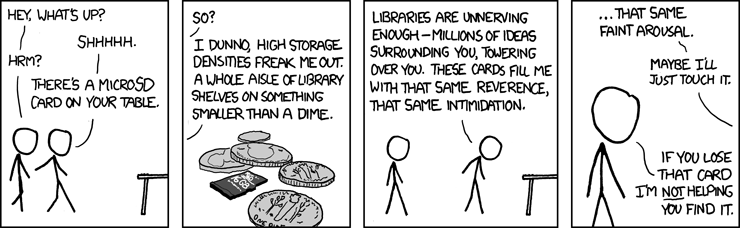 |
| xkcd: micro SD |
So why DRM? Digital files are too easy to pirate and I bet that's why most authors and publishers are reluctant to embrace digital formats. It may look selfish or over-protective, but if you're willing to pay for a paper book why not for a digital book? (I'll stop at this point since a discussion of free vs paid can go on forever.)
Enabling everyone to be producers
Perhaps the most revolutionary effect of digitization is the bypassing of traditional distributors or middle men. Writers and musicians no longer have to tie up with publishers or record companies to reach their readers or audiences. This means that if you have anything worth sharing or selling, you can just go ahead and do it! Many of the e-books and audiobooks I purchase from Amazon were not written by people who "trained" to be writers. In fact some of the books I enjoy are written by a former bouncer, (also a very funny person). Thanks to websites that facilitate this more direct and open to all distribution process. But without DRM or copy protection, a large pool of creators would not have jumped into this revolution, most likely. And I wouldn't be reading many of the e-books or listening to the audiobooks that I truly enjoy and have learned from.
A blogger subdomain on a wordpress.com domain
As it turns out, it is not difficult to edit DNS records in a domain registered via Wordpress.com to create a subdomain in a domain you're already paying for. Since I rarely mess with it, I always had a reluctance in cutomizing DNS records. In fact, I don't have a good understanding of DNS stuff.
This blog's only URL used to be flaguser.blogspot.com. For some reasons in the past, I chose wordpress.com to write my other blog (which has a more unified theme) and ended up registering the flaguser.com domain via wordpress's service for ~35 usd/year (I felt a bit sad finding out that it's just ~10 usd/year in blogger. That's a ~2500 usd difference in a hundred years!). Well, anyway here's how:
1. Edit your wordpress.com DNS records (Admin > Store > Domains > Edit DNS)
2. Add the line:
3.Validate, then save.
4. Add your custom domain in Blogger (Settings > Publishing > Blog Address > Add Custom Domain > Switch to Advanced Settings)
5. Write something like:
This blog's only URL used to be flaguser.blogspot.com. For some reasons in the past, I chose wordpress.com to write my other blog (which has a more unified theme) and ended up registering the flaguser.com domain via wordpress's service for ~35 usd/year (I felt a bit sad finding out that it's just ~10 usd/year in blogger. That's a ~2500 usd difference in a hundred years!). Well, anyway here's how:
1. Edit your wordpress.com DNS records (Admin > Store > Domains > Edit DNS)
2. Add the line:
Note: I wanted "blog" to be the subdomain. Change it accordingly.CNAME blog ghs.google.com.
3.Validate, then save.
4. Add your custom domain in Blogger (Settings > Publishing > Blog Address > Add Custom Domain > Switch to Advanced Settings)
5. Write something like:
TIP: From what I've read, a similar procedure also applies for Google sites.blog.flaguser.com
References
How to avoid conversations when listening to an audiobook
Simple. Have a real book and pretend that your reading it.
Bonus credits if the book has an impressive title, say "Non Newtonian Quantum Political Linguistics for Chiropractic Practitioners".
The problem with audiobooks is that it is hard to tell that you are on audiobooks. People who see you will just think you're listening to your music. If you go by public transportation and meet acquaintances on the same train or bus, you'll look impolite if you ignore them. So you end up wasting time in uninteresting small talk instead of learning new things. If you show a real book and appear engrossed by it, then it is them who would feel impolite by attempting to disturb you. It would work best if you appear to be reading something important, like you're preparing for an exam. With headphones and a book it becomes understandable if you fail to hear and fail to see someone you know.
I'm not sure yet whether this works equally well with tablets or e-readers, but at least tablets have the extra advantage of being readable in the dark.
I'm not sure yet whether this works equally well with tablets or e-readers, but at least tablets have the extra advantage of being readable in the dark.
Warning
Don't get caught holding your book upside down. This can also eventually lead to the decrease in number of your "friends". :) Knowledge comes at a price. But friends should also be understanding enough not to hinder your intellectual growth and improvement. Also there's still a lot of socializing opportunities in the place where you work or study. Audiobooks are most convenient on public transportation. Also, still be cautious of your surroundings (but the same applies to using your phone).
Alternatives
- Pretend to be sleeping. No props needed, but not always believable.
- Pretend to be talking/texting someone else.Takes some effort.
Side note:
This is my first time to use Google's online Drawing appplication, and I must say it is very easy and convenient to use. The interface is like a trimmed down version of Power Point. By publishing the drawing, I can embed it into this blog. For simple drawings, this is much better than editing locally on your PC and going through the upload process. Cheers to technology!
And I just managed to transfer ownership of this blog!
That's cool. I think blogger is trying to catch up with Wordpress by catching up with many useful features (stats for example). Anyway, minutes ago, this blog is associated with a different gmail account. But I simply invited someone else, promoted that person admin, demote my former account to author, and then clicked the X mark on the former account. No questions asked!
Btw, that other person also happens to be me, using my other email for "business" purposes.
Cheers to the Blogger vs Wordpress competition.
Btw, that other person also happens to be me, using my other email for "business" purposes.
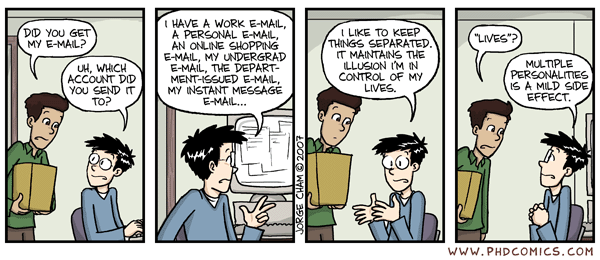 |
| PhD Comics |
Cheers to the Blogger vs Wordpress competition.
Just get it started!

Wrong!
A lot of people these days will believe anything written if there's a picture with it. This one actually came from the stuff that my mom shares in her facebook page (it may also be wrong to have family members in your facebook contacts). The wrong part in this apparent words of wisdom is "anything".
Planning is good and it helps in putting a purpose or direction in one's life. But it's not always the best thing to do. There are times that we just need to get started and just learn along the way, especially when we want to try something new or no one has ever done before. That's how many great companies start. You'll never get feedback if you never start. There are times that you just have to take risks and do your best along the way. Life is full of things that have no definite endings. Would you advise this to someone making new friends or someone getting married? (On second thought...)
And planning is not fool proof either as there's no telling what may happen in the future.
It is better to fail than not to not try at all.
I may not now what the future of this blog would be, but I'd rather posted some useless stuff here than keep it empty until I decide how this blog's theme and how things should go on.
Perhaps I'll be posting about the wrong things that I see everywhere. Perhaps I'll be posting sarcastic humor. Perhaps I'll be making a meme-buster! Or perhaps I'll just write whatever that thing is that I have to get out of my corrupted mind so I can move on.
By the way, hello world!
 RSS feed